
Updated July 2026 · 6 min read
Enable TUN mode correctly
With TUN the order matters more than the switch itself: get the system proxy working first, install service mode second, and only then turn TUN on. Skip the first two and you cannot tell which layer failed.
Get the easy path working first
Plenty of people install the client and immediately hunt for the TUN switch, then despair when nothing loads. Run the system proxy first: does the subscription update, do nodes report a latency, does the browser open pages.
If all three behave, then subscription, nodes and rules are sound, and any later TUN failure can only be the adapter, permissions or DNS. If the browser cannot even load a page under the system proxy, adding TUN just adds a variable.
Service mode comes first
Creating a virtual adapter and rewriting the routing table both need system level privileges, which is why TUN depends on service mode. Install the service from settings, wait until the status reads healthy, and only then does the TUN toggle mean anything.
A service that refuses to install, or vanishes seconds after installing, is usually being blocked by security software. Allow it for that one step and restore protection afterwards. Windows also raises a network access prompt the first time; tick the private network box.
Once TUN is on, the whole machine routes through a virtual adapter. If you lose connectivity right after enabling it, do not reboot — turn TUN off, or quit the app from the tray, and the adapter goes away.
What to verify afterwards
Pages loading after you enable TUN does not prove TUN is doing anything — the system proxy may still be on and carrying everything. The real test is to switch the system proxy off, leave TUN alone, and reload a page. Still working means TUN is genuinely in charge.
One thing worth knowing: TUN and DNS travel together. Once the adapter takes the traffic, name resolution belongs to the core too, so the DNS override in Clash settings has to be on. Otherwise you get the classic symptom of reachable addresses and unreachable domains. Tuning it is a separate guide.
Check the client status
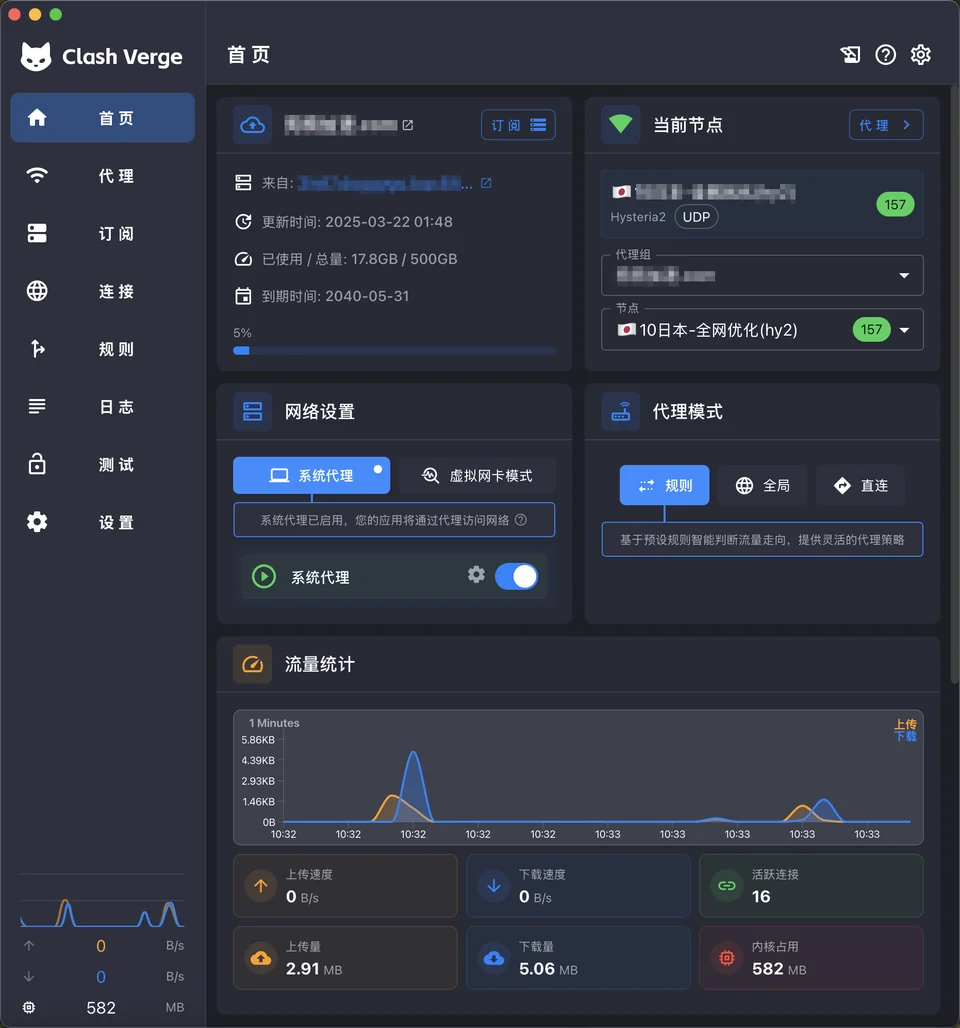
Backing out when you lose the network
If the window still opens, this is easy: go back to settings and turn TUN off. The virtual adapter is removed, routing returns to normal and the connection usually comes back within seconds. That is a good reason to keep the main window open the first time you try TUN.
If the interface has frozen, right click the tray icon and quit the program. When the process ends, the system releases that adapter and the routes are restored with it. No reboot is needed, and you do not have to delete anything by hand in network connections.
What is the project?
Clash Verge Rev is a Tauri-based GUI for Mihomo with profile management, system proxy, TUN mode, rule editing and WebDAV backups.