
Updated July 2026 · 6 min read
System proxy vs TUN mode
System proxy and TUN solve the same problem in completely different ways. One hangs a sign in the operating system and hopes programs read it; the other builds a network interface and takes the packets directly.
The system proxy is just a signpost
Turning on the system proxy makes the client write the local address and the mixed port 7897 into the operating system proxy setting. That is the whole of it. Nothing is intercepted and nothing is forced.
From there it depends on whether each program bothers to read that setting. Browsers do, and most applications with a window do. But it is a convention rather than a rule, and any program is free to ignore it and dial out directly.
TUN takes over at the network layer
TUN creates a virtual network adapter and points the system routing at it. Packets are caught by that adapter before they ever leave the machine, and the program that sent them has no idea anything happened.
That is why it needs no cooperation. Command line tools, games and updaters that never heard of a proxy setting are handled all the same. The price is that it needs system level privileges and has to take over DNS as well.
You can run both at once, and plenty of people do. The moment something breaks, though, leave only one on — otherwise you cannot tell which path a given program took.
Matching symptoms to a cause
Browsers fine, games unable to connect, Steam downloading at local speed, a terminal command hanging forever — that pattern is the system proxy showing its limits, because none of those programs looked at the system setting.
A second family carries its own proxy configuration: Git, npm, various developer tools and some browser extensions. They ignore the system setting, and they can also be stuck on a stale proxy address you typed in months ago, so each has to be fixed on its own.
Check the client status
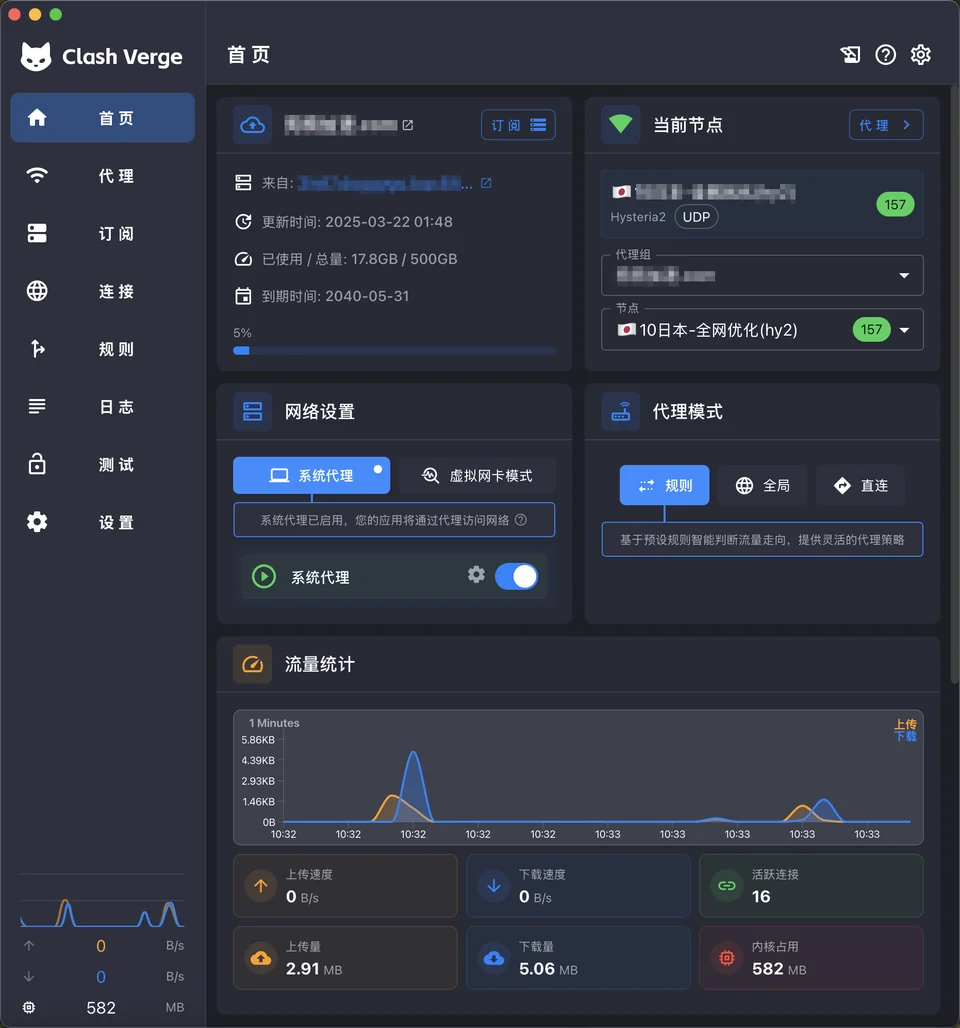
Leave one path on while debugging
Running both is not a conflict: programs that honour the setting go through the system proxy, and everything else lands on TUN. The trouble is that you can no longer say which route a given program took, and neither the logs nor the connections page spells it out.
So switch one off. If you suspect a program is bypassing the proxy, run TUN alone. If you suspect TUN broke name resolution, run the system proxy alone. One variable at a time narrows it down in two or three rounds.
What is the project?
Clash Verge Rev is a Tauri-based GUI for Mihomo with profile management, system proxy, TUN mode, rule editing and WebDAV backups.