
Updated July 2026 · 6 min read
Fix no internet after enabling proxy
When the client is running and nothing loads, resist the urge to edit the config. Walk back to a bare connection, bring the system proxy up on its own, then add one thing at a time until it breaks.
Get back to a bare connection
Turn TUN off, turn the system proxy off, then quit properly from the tray icon — the window close button only hides it and the process keeps running. Now open a site that never needed the proxy in the first place.
It has to load normally before you go any further. If it does not, the client is not your problem: check the cable, the router and the DNS settings on the machine. A crashed TUN session sometimes leaves its virtual adapter behind, and a reboot clears that.
Bring the system proxy up on its own
Start the client, set the mode to Rule, pick one known-good node by hand on the Proxies page, switch on the system proxy and leave TUN alone. Then load a site that does need the proxy.
The test is not whether the page renders, it is whether the Connections page fills with new rows carrying the node name you just chose. An empty list means traffic never reached the core, so check that another program has not taken over the system proxy setting.
Change one switch per round and test straight away. If you flip three things at once, a working connection tells you nothing about which one was at fault.
Add one thing back per round
Once the plain system proxy works, enable TUN and test. Then LAN access, and test again. Custom rules, Merge and Script go back last. Use the same site for every check so the results stay comparable.
Whatever you switched on right before it broke is the cause, and there is nothing left to guess. TUN is the usual failure point, and it normally means the service component did not install or security software blocked it — the node is innocent.
Check the client status
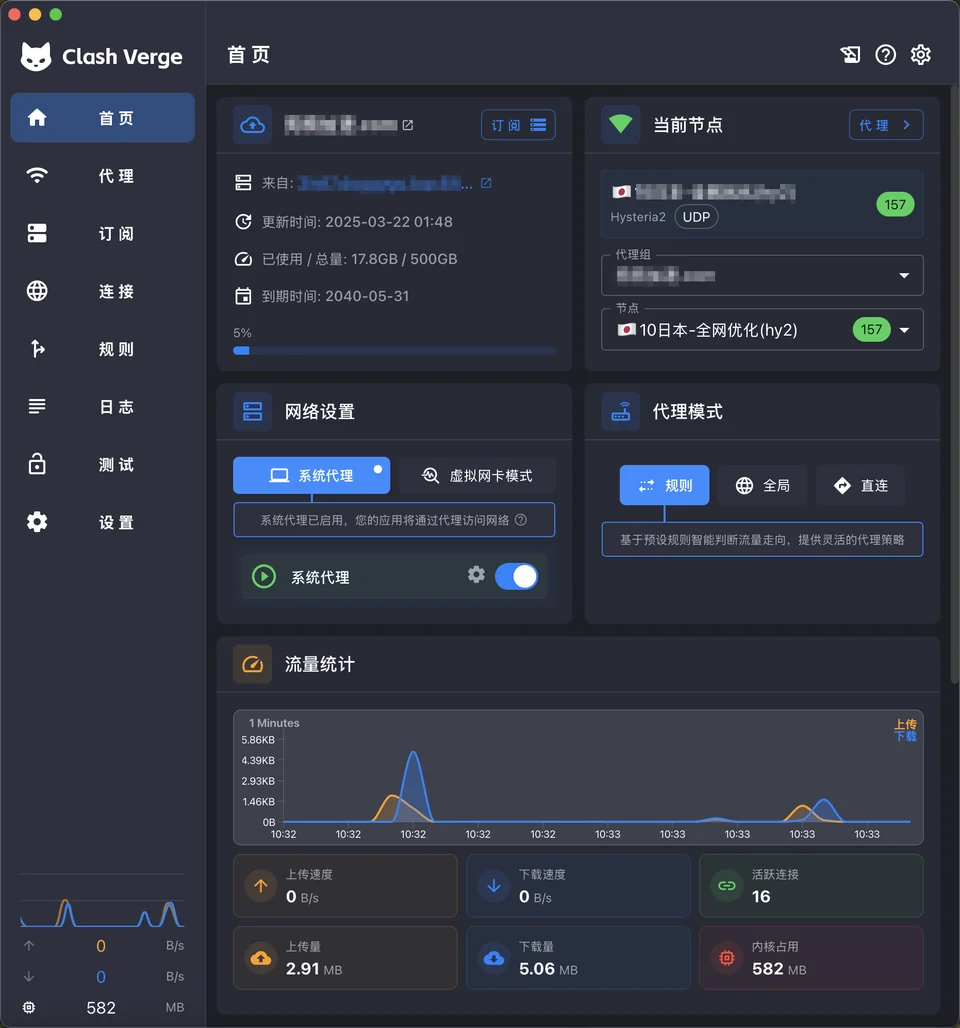
The three usual culprits
An expired subscription or an exhausted quota comes first: the profile card shows remaining traffic and an expiry date, so update it by hand and read the error if one appears. A dead node is just as common — run a latency test and drop anything that times out.
A clock that drifts by minutes breaks everything as well. Several protocols check timestamps, the handshake fails outright, and it looks exactly like every node dying at once. Open the system date and time settings and force a sync; this one gets overlooked constantly.
What is the project?
Clash Verge Rev is a Tauri-based GUI for Mihomo with profile management, system proxy, TUN mode, rule editing and WebDAV backups.